
Add your appliances and daily runtime. You get the panel wattage, the panel count, and the array layout in series and parallel that fits your roof and your controller.
New — now on the App Store for iPhone & iPad
Solar · Inverter · Battery · Electricity
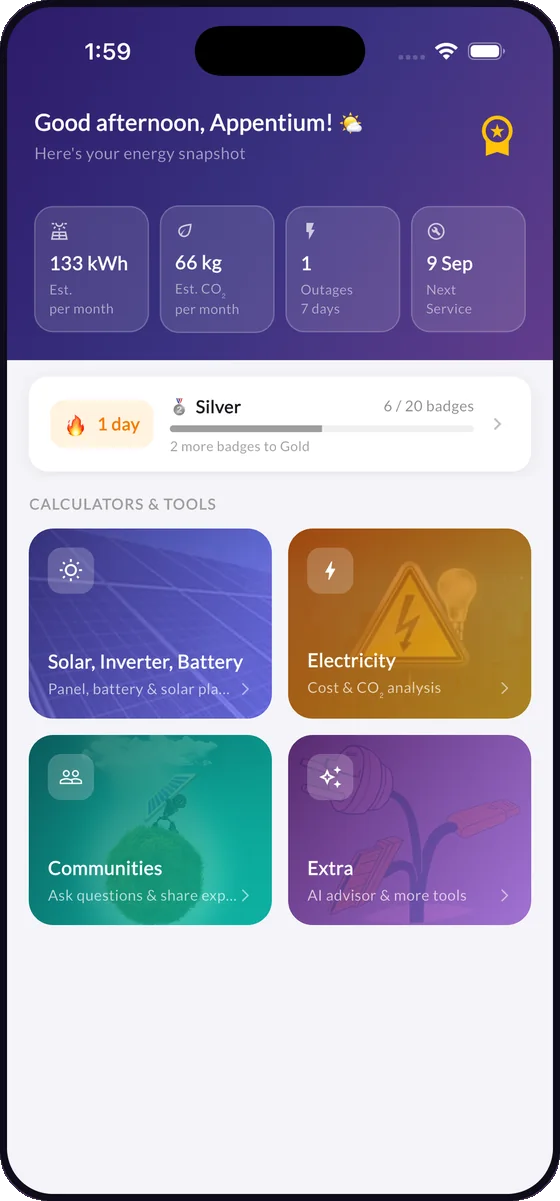
The solar and battery calculator that answers the whole question
PowerPlanner sizes your panels, battery bank, inverter and charge controller from the appliances you actually run — then forecasts seven days of output, prices your electricity and shows how long the system takes to pay for itself.
- Free to download
- No sign-up to calculate
- 8 languages
- Your figures stay on your device
1.6 kWPanel size
4 h 20 mBackup time
3.4 yrsPayback
35+Calculators & tools
7-daySolar forecast
8Languages
FreeTo download & use
The questions behind the maths
Stop guessing at the numbers that decide your bill
Most solar and inverter decisions come down to five or six figures. Get one wrong and you either overspend on hardware or sit in the dark. PowerPlanner works each of them out from plain inputs — appliance wattage, hours, tariff — and shows the reasoning, not just a number.
Peak load sets the inverter. Daily watt-hours, backup hours and depth of discharge set the battery bank — for lead-acid, lithium or LiFePO4.
Pick the appliances you'd keep running during an outage and see the runtime in hours and minutes, updating as you add or remove load.
Per appliance, per household, per month — on a flat rate, a slab tariff or a time-of-use tariff, in your own currency.
Enter the installed cost and see the payback period, yearly savings and net-metering return alongside the CO₂ you avoid.
A seven-day irradiance and generation forecast for your exact location, including expected battery charge and the best hours to run heavy loads.
Solar planner
Build the system around your appliances, not a guess
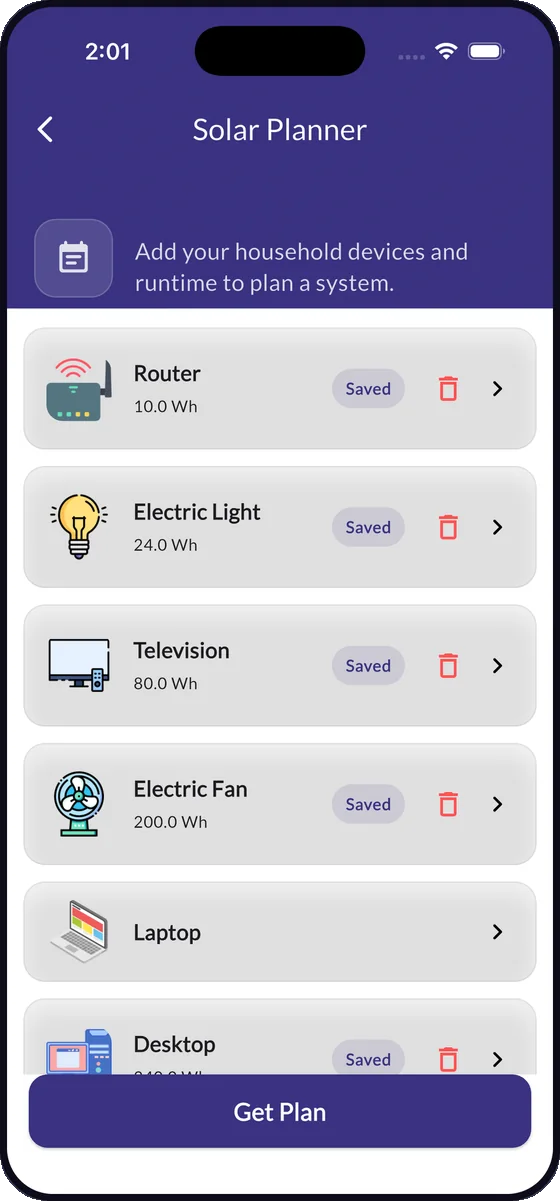
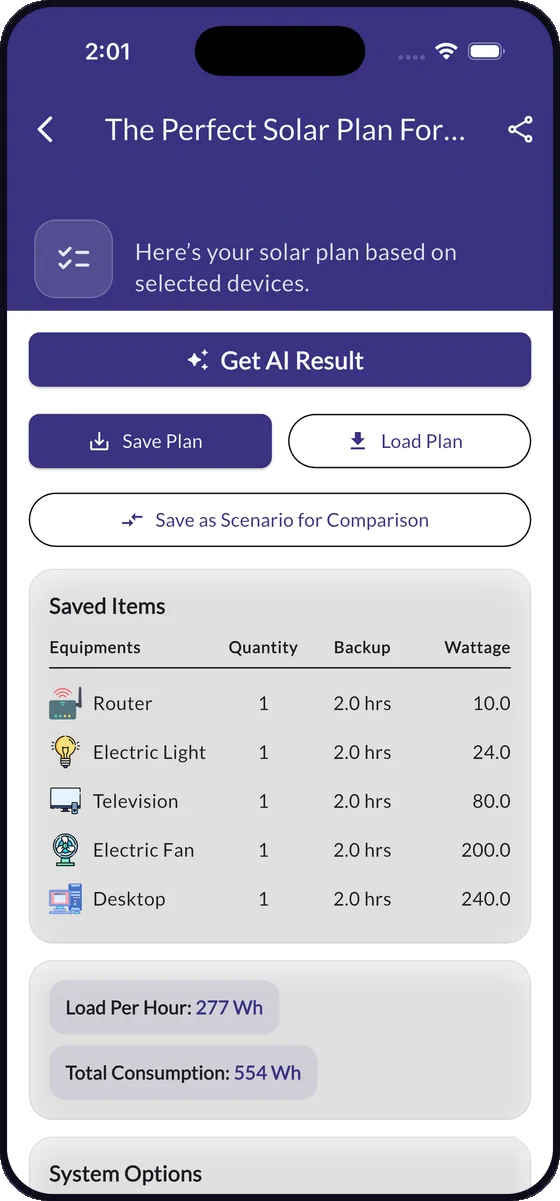
Pick your devices from a library — router, fan, fridge, TV, pump, air conditioner — or add your own with wattage and daily hours. PowerPlanner totals the load, then returns a complete package: panel wattage and count, battery capacity and voltage, inverter rating and the charge controller to match.
- Per-hour and total daily consumption, itemised by appliance
- A "general" and a "best" specification, so you can see what the upgrade buys you
- Save the plan, export it as a PDF or compare two scenarios side by side
Solar forecast
Seven days of generation, before the week starts
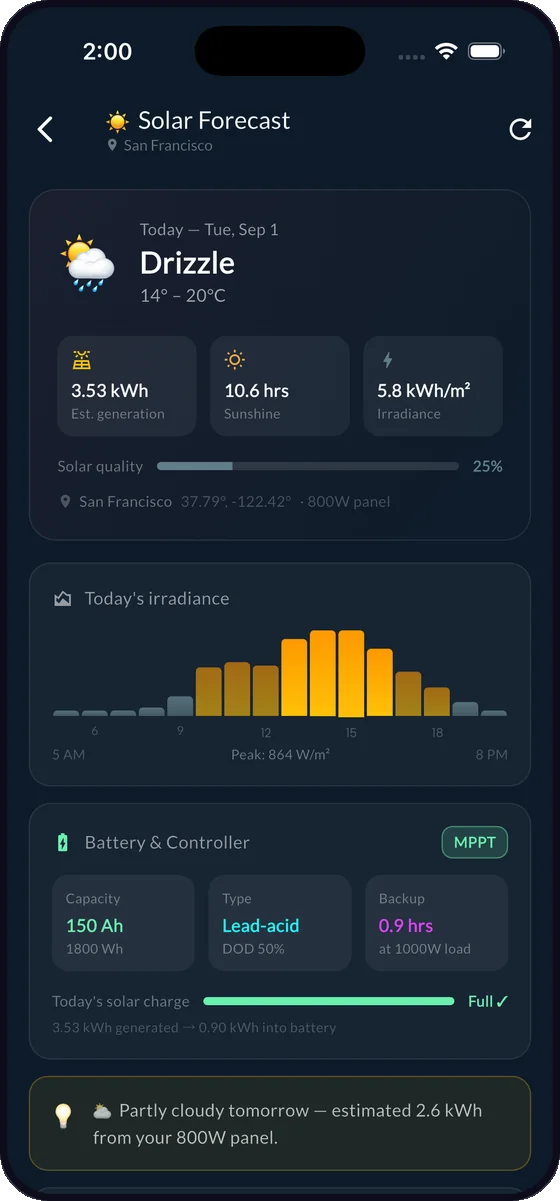
PowerPlanner pulls irradiance and weather for your exact site and turns it into the numbers that matter: expected generation in kWh, sun hours, irradiance by hour of day, and how full your battery should end up. Plan the washing, the pump or the welding around the sun.
- Hourly irradiance chart with the peak generation window marked
- Battery and controller state modelled against tomorrow's weather
- Detect your location once, or type it in — location is entirely optional
Electricity toolkit
Find the appliances that are quietly eating your bill
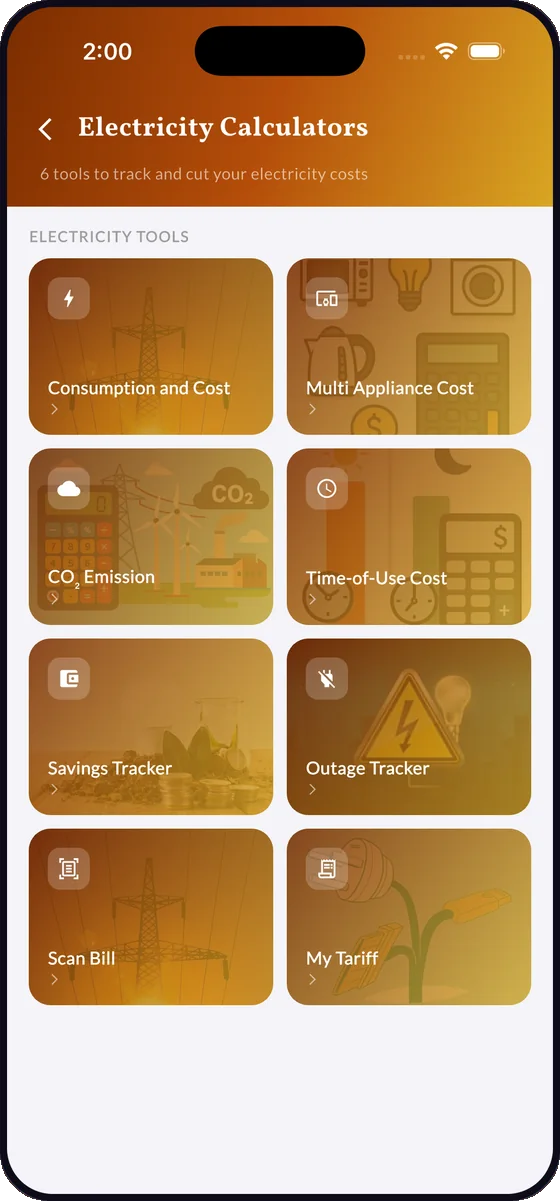
Cost a single device or your whole household, on a flat rate, a slab tariff or a time-of-use tariff in your own currency. Photograph your electricity bill and PowerPlanner reads the units and charges off it. Log outages, track what you save month by month, and see the CO₂ behind every kilowatt-hour.
- Multi-appliance costing that ranks your biggest consumers
- Time-of-use costing for peak, off-peak and shoulder rates
- Outage tracker and savings tracker with month-by-month history
AI planner & advisor
A written specification, not just a spreadsheet cell
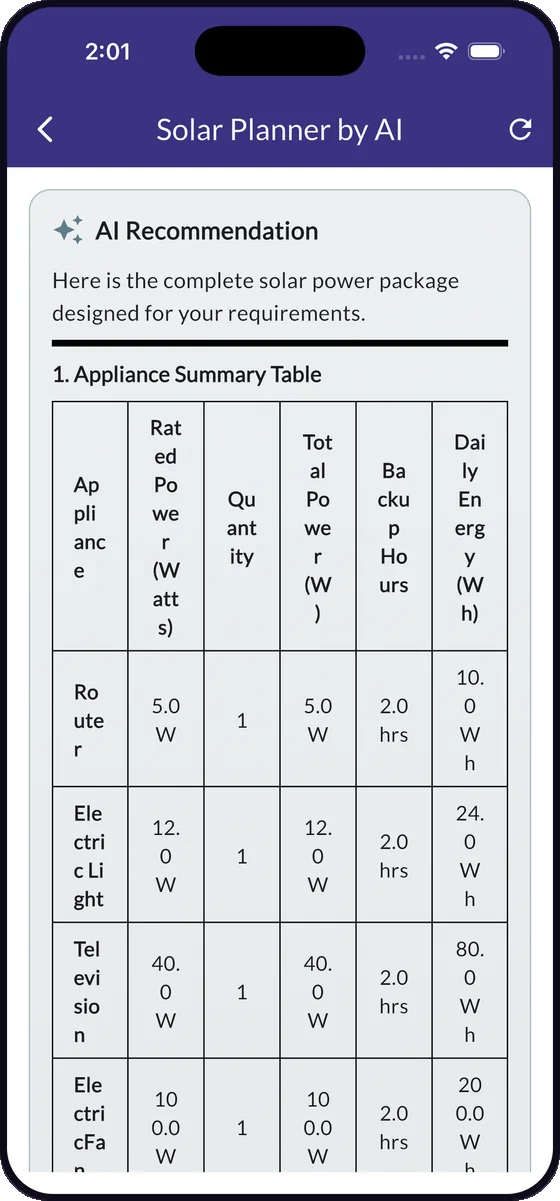
The AI planner takes your appliance list and writes out the complete package — appliance table, panel and battery specification, inverter rating, and the reasoning behind each choice. The AI energy advisor answers questions about your own system in plain language, with your real figures as context.
- Appliance summary table with rated power, backup hours and daily energy
- Ask "can I add an air conditioner?" and get an answer against your own numbers
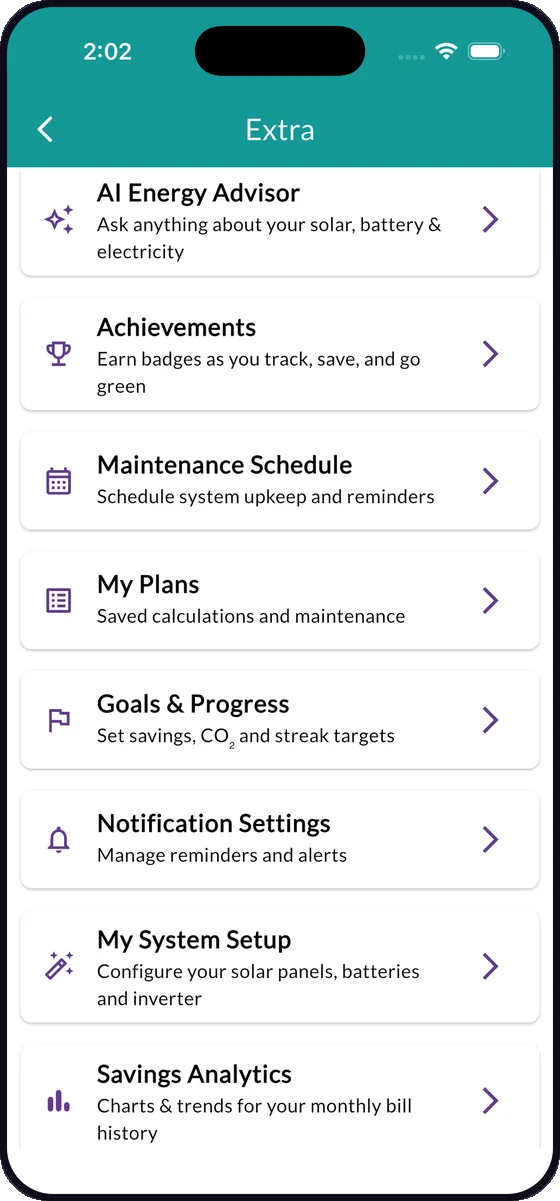
- Maintenance schedules, goals, badges and savings analytics to keep it on track
The full toolbox
Every calculator you were going to look up separately
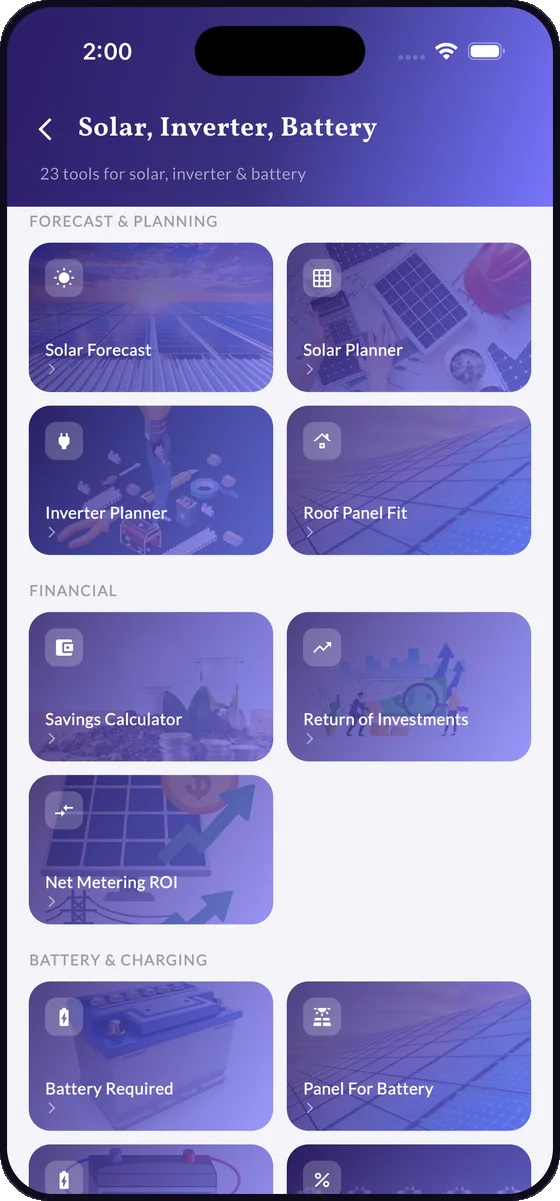
Twenty-three solar, inverter and battery calculators, a full electricity costing toolkit and a set of planning tools — in one app, with one shared set of your system details, so you never retype the same battery voltage twice.
Forecast & planning
Design the system
- Solar forecast
- Solar planner
- Inverter planner
- Roof panel fit
- Panel output
- Tilt angle
- Series & parallel panels
- String sizing
Battery & charging
Size and protect the bank
- Battery required
- Panel for battery
- Battery charging time
- Battery percentage
- Battery lifecycle
- Backup time
- What can I run
- mAh to Ah
Electrical sizing
Get the wiring right
- Charge controller required
- Load wattage
- Voltage drop
- Watt to amp
- Breaker sizing
- Panel efficiency
Money & return
Justify the spend
- Savings calculator
- Return of investment
- Net metering ROI
- Savings tracker
- Savings analytics
- Scenario comparison
- Energy source comparison
Electricity & bills
Understand the meter
- Consumption & cost
- Multi-appliance cost
- Time-of-use cost
- Scan bill
- My tariff
- Outage tracker
- CO₂ emission
- CO₂ savings
Plan & keep it running
After the install
- AI solar planner
- AI energy advisor
- My system setup
- My plans & PDF export
- Maintenance schedule
- Goals & progress
- Achievements
- Communities
Inside the app
Built to be read at a glance, in the dark, on a phone
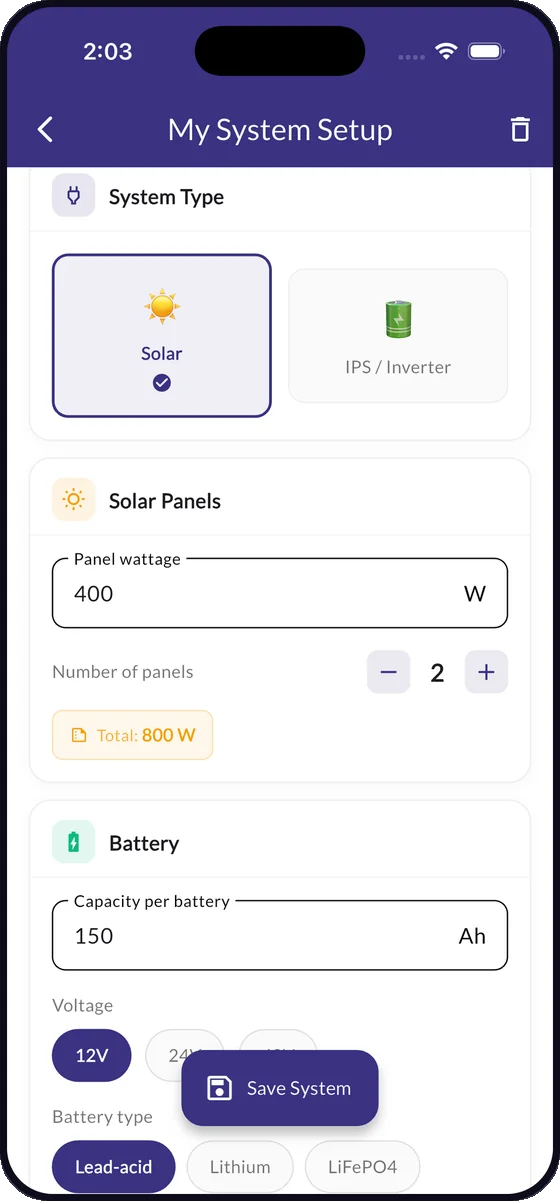
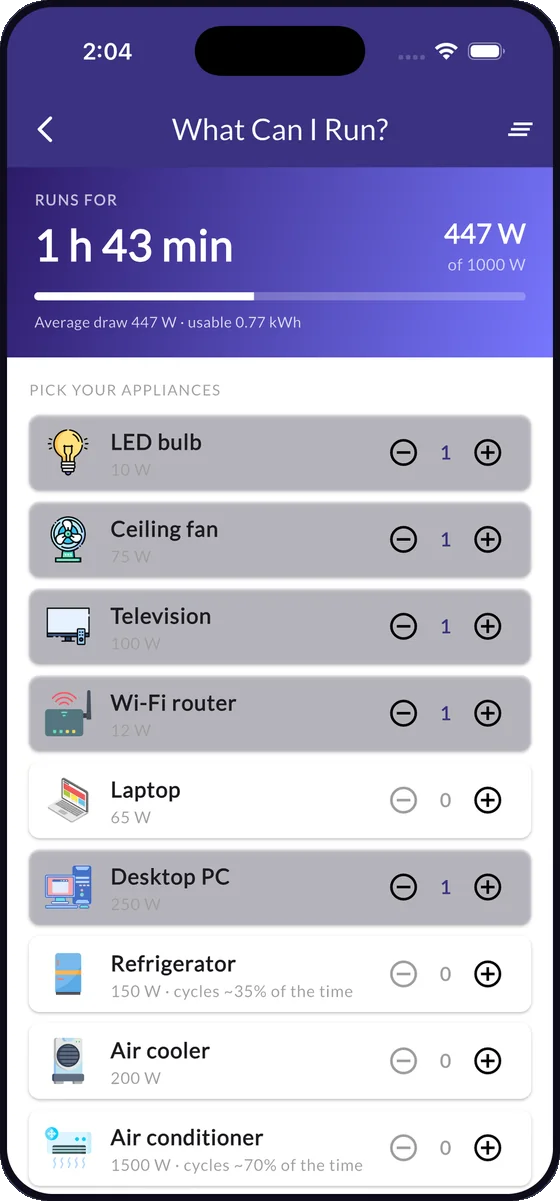
Ten screens from the app as it ships today.
Scroll or swipe for more
How it works
Three inputs, and the rest is arithmetic
Set up your system once
Panel wattage and count, battery capacity, voltage and chemistry, inverter rating, and your tariff. Every calculator in the app reads from it, so you enter each figure once.
Add what you run
Choose appliances from the built-in library or add your own with wattage, quantity and daily hours. The app totals the load per hour and per day.
Get the plan and the price
Panel, battery, inverter and controller sizing, backup runtime, monthly cost, yearly savings and payback period — saved to your plans and exportable as a PDF.
Who it's for
Written for places where power is a daily calculation
PowerPlanner was built for households and installers dealing with load shedding, rising tariffs and off-grid sites — and it works just as well for a grid-tied roof in a city.
Homeowners
Work out what a solar and battery setup would cost you, what it would run and when it pays back — before an installer quotes you.
Solar installers & shops
Size a system in front of the customer, show the general and the best specification, and hand over a PDF plan on the spot.
Off-grid & backup users
Know exactly how many hours of backup you have, what to switch off to extend it, and when the bank will recharge.
Students & technicians
Voltage drop, breaker sizing, string sizing, series and parallel arrays, mAh to Ah — the standard formulas with the workings shown.
Languages
The whole app, in eight languages
Including full right-to-left layout for Urdu and Arabic.
- English
- বাংলা Bangla
- हिन्दी Hindi
- اردو Urdu
- မြန်မာ Burmese
- Filipino
- العربية Arabic
- Español Spanish
Pricing
Free to use. Pro when you want the limits gone.
Every calculator works on the free tier. Pro removes the ads and the caps.
Free
Ad supportedEverything you need to size a system and price your electricity.
- All 23 solar, inverter and battery calculators
- Full electricity costing, tariffs and outage tracking
- Seven-day solar forecast
- Saved plans and the community
No account needed to run a calculation.
PowerPlanner Pro
Everything unlockedEvery tool, no limits, no ads — subscription or one-time, in the app.
- No advertising anywhere in the app
- Unlimited AI solar plans
- Unlimited AI energy advisor questions
- Unlimited PDF exports of your plans
Purchases are handled by Google Play or the App Store. Prices are shown in the app in your local currency.
FAQ
Frequently asked questions
How many solar panels do I need for my house?
It depends on the appliances you run and how long you run them each day, not on the size of the house. In PowerPlanner you add your appliances with their wattage and daily hours, and the Solar Planner returns the panel wattage and panel count needed to cover that load, along with the matching battery bank, inverter and charge controller.
The Roof Panel Fit and Series & Parallel calculators then check that the array physically fits your roof and wires up correctly for your controller's voltage window.
What size inverter and battery do I need?
Your inverter is sized from your peak simultaneous load in watts — everything that could be on at once, plus headroom for motor start-up. Your battery bank is sized from your daily energy use in watt-hours, the number of backup hours you want, and the usable depth of discharge for your battery type.
PowerPlanner's Inverter Planner and Battery Required calculators do both from the appliance list you enter, for lead-acid, lithium and LiFePO4 chemistries.
How long will my battery last during a power cut?
Backup time depends on battery capacity in amp-hours, system voltage, inverter efficiency and the load you are actually running. The Backup Time calculator gives you the runtime for a given load, and What Can I Run lets you tick appliances on and off to watch the runtime move in hours and minutes.
How do I calculate my electricity bill from appliance wattage?
Multiply the appliance wattage by the hours used, divide by 1,000 to get kilowatt-hours, then multiply by your tariff rate. A 1,500 W iron used for half an hour a day is 0.75 kWh, so at a rate of 0.20 per unit it costs 0.15 a day.
PowerPlanner does this for a single appliance or a whole household, supports flat, slab and time-of-use tariffs, and can read the units and charges straight off a photo of your electricity bill.
How long does it take for solar panels to pay for themselves?
The payback period is the total installed cost divided by what the system saves you each year. Tariff, sunlight and how much of your generation you actually use all move the answer, which is why a generic figure from an article rarely matches your roof.
The Return of Investment and Net Metering ROI calculators work it out from your own system cost, local tariff and estimated generation, and show daily, weekly, monthly and yearly savings alongside the CO₂ you avoid.
Is PowerPlanner free?
Yes. Every calculator is free, and the free tier is supported by advertising. PowerPlanner Pro is an optional purchase that removes ads and lifts the limits on AI plans, the AI energy advisor and PDF exports. Purchases are handled entirely by Google Play or the App Store.
Do I need an account to use the calculators?
No. You can use every calculator without signing in, and your figures stay on your device. Signing in with Apple or Google is only needed if you want to sync saved plans across devices or take part in the community. You can delete your account and everything attached to it from inside the app.
Does it work with my country's currency and tariff?
Yes. You set your own currency, unit rate and tariff structure under My Tariff, so cost and savings figures match the bill your utility actually sends you — whether that is a flat rate, a slab tariff or peak and off-peak pricing.
Which languages does PowerPlanner support?
English, Bangla, Burmese, Urdu, Hindi, Filipino, Arabic and Spanish. Urdu and Arabic get full right-to-left layout, not just translated strings.
Is PowerPlanner available for iPhone and iPad?
Yes. PowerPlanner is on the App Store for iPhone and iPad, and on Google Play for Android. Both builds have the same calculators, the same solar forecast and the same eight languages.
What data does the app collect?
Calculations, plans and tariff settings are stored on your device unless you sign in to sync them. Location is requested only for the solar forecast, and only when you use it. We do not sell personal information. The full detail is in our Privacy Policy.
Get started
Size your system tonight
Free to download, no account needed to run a calculation, and every figure stays on your phone unless you choose to sync it.